Call Insights is a call tracking and data insight tool that helps you understand and manage telephone enquiries generated through your daynurseries.co.uk profile.
Once activated, Call Insights tracks calls made through the ‘I’m looking for care’ section of your profile, giving you greater visibility of your telephone enquiries and how they are handled.
Call Insights is included with Enhanced and Platinum subscriptions at no extra cost. If you have a Basic profile, you will need to upgrade to access the service.
How Call Insights works
When Call Insights is activated, a unique tracking number is displayed on your daynurseries.co.uk profile.
When a care seeker calls this number:
The call is routed to the existing telephone number registered for your nursery.
The call is recorded and transcribed.
Call information is added to your Call Log.
Our team reviews the call to identify genuine care enquiries.
Genuine care enquiries are converted into a Verified Care Lead, with key information from the call and a link to the recording.
Your existing telephone number does not change, and any numbers you publish elsewhere are unaffected.
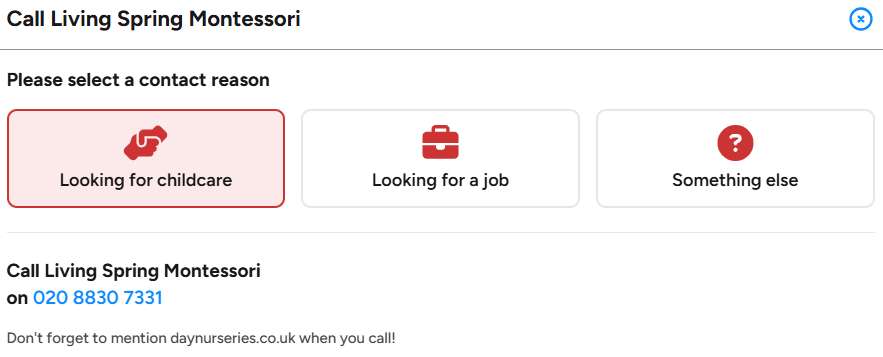
Care seekers choose the reason for their call before being connected to your nursery.
.png)
Example of a Verified Care Lead generated from a telephone care enquiry.
What can I see in Call Insights?
Call Log
Your Call Log gives you a record of calls generated through your daynurseries.co.uk profile, including missed calls.
You can see information such as the call status, date and time, caller details, call duration and how long it took for the call to be answered. You can also open individual calls to see further details and access the recording.
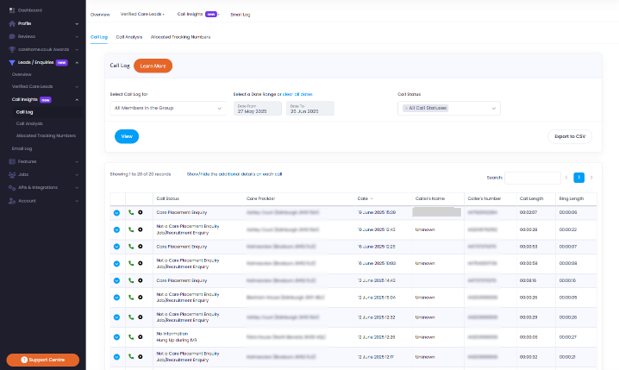
Call Log showing telephone enquiry activity and key call information.
Call Analysis
Call Analysis turns your call data into reports that help you understand call volumes, answering performance, care enquiry handling and areas where improvements could be made.
For more information, see Call Analysis.
Allocated Tracking Numbers
The Allocated Tracking Numbers section shows the unique telephone number allocated to each daynurseries.co.uk profile and the telephone number it routes to.
.png)
Allocated Tracking Numbers shows the tracking number assigned to each profile and where calls are routed.
Why activate Call Insights?
Call Insights can help you:
Identify missed or unanswered enquiries.
Make sure care enquiries are followed up.
Understand when you receive the most calls.
See how quickly calls are being answered.
Identify common questions and gaps in call handling.
Support staff training using real call data.
Compare performance across nurseries if you manage a group.
How to activate Call Insights
Log in to your daynurseries.co.uk Portal.
Select Leads/Enquiries from the left-hand menu.
Select Call Insights.
Enter your first name, last name, email address and job title.
Confirm that you are authorised to activate the service and that you have read the Terms and Conditions.
Select Activate.
If your nursery is part of a group, you will be asked to contact your Group Head Office to activate Call Insights on your behalf.
.png)
Call Insights activation screen in the daynurseries.co.uk Portal.
Once activated, your tracking number will be allocated automatically and Call Insights will start building data from calls generated through your daynurseries.co.uk profile.
For information about call recording, data protection, access to recordings and other common questions, see Call Insights FAQs.