Your New Dashboard Portal
You may have noticed some recent changes to your Portal.
We’ve updated it to make things clearer, more useful, and easier to navigate.
What’s changed?
Your Portal is now called your Dashboard Portal.
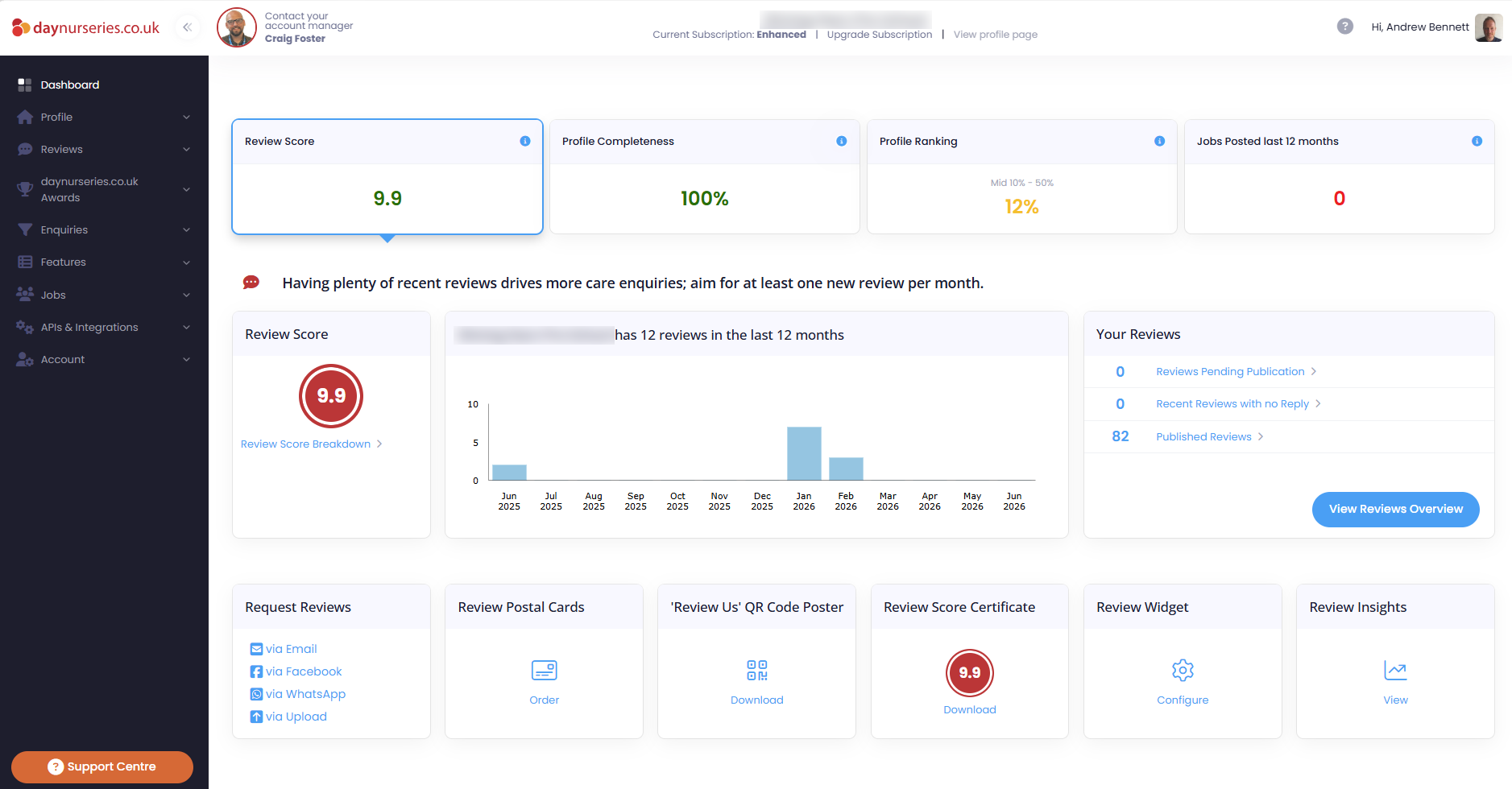
We’ve improved the Overview and Verified Care Enquiries sections to help you quickly understand how your listing is performing.
Why we’ve made these changes
The new Dashboard Portal is designed to help you:
- Find key information more easily
- Understand your performance at a glance
- Identify areas to improve
- Get the most value from your membership
What you’ll see at a glance
Your dashboard now highlights four key areas of your profile:
- Review Score
- Profile Completeness
- Profile Ranking *
- Jobs Posted
*The Profile Ranking is a new metric. It's based on your rank position within Postal Town searches. The percentage is a quantification of how high up the search results you appear. For example if you rank position 5 out of 50 nurseries you're in the Top 10%, if you ranked 46 out of 50 you'd be in the Bottom 10%.
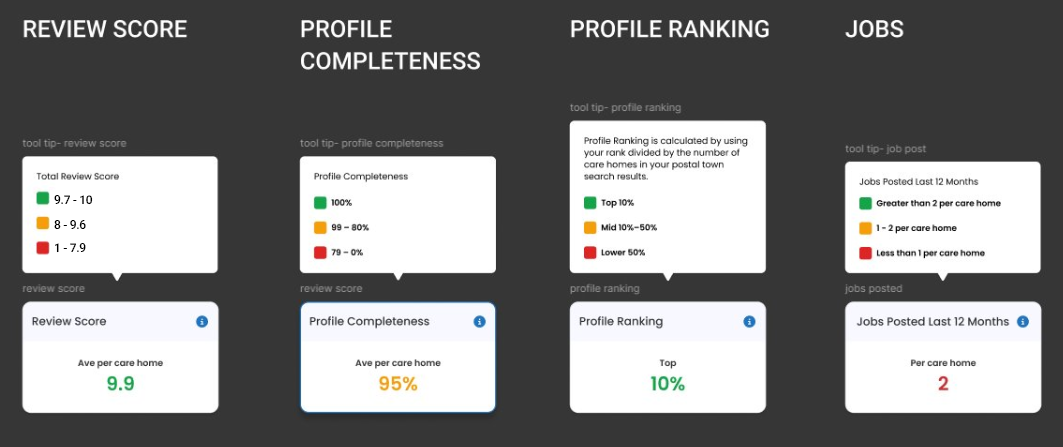
Each area is marked with a Red, Amber, or Green status, so you can quickly see how you’re performing compared to the industry.
What do Red, Amber and Green mean?
Green - Performing well
Amber - Room for improvement
Red - Action needed
This helps you focus on the areas that will have the biggest impact.
The table below shows data ranges that we use to determine if each of the metrics is Red, Amber or Green.
Explore Your Performance in More Detail
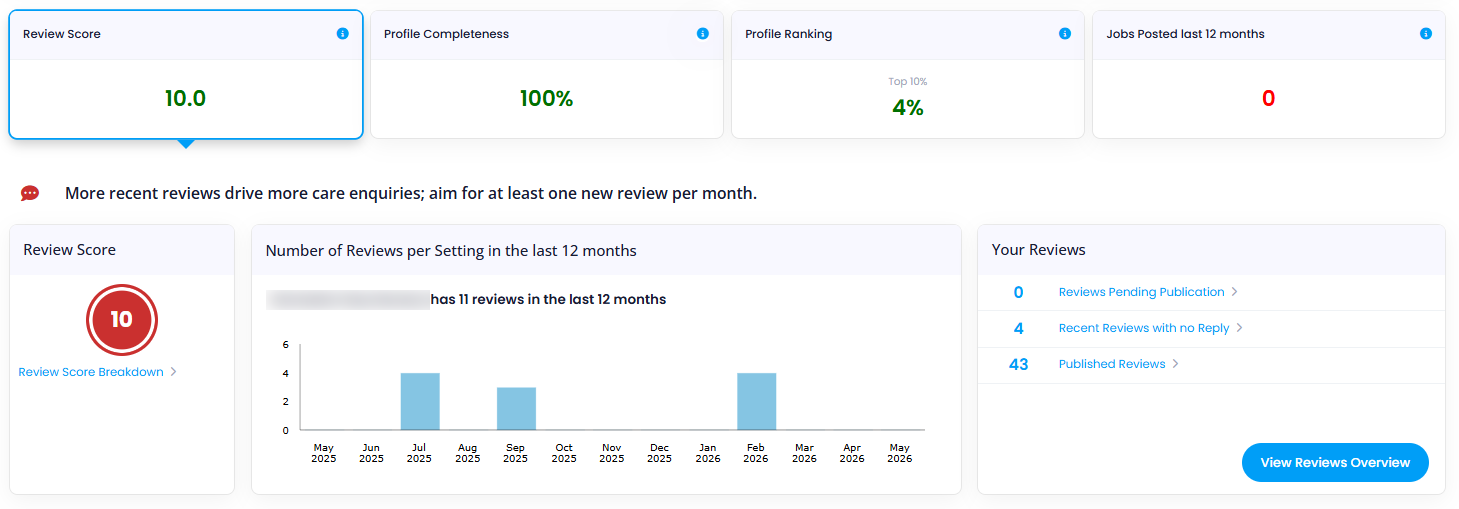
Review Score Tab
View and manage your reviews, including:
- Group Review Score (if applicable)
- Reviews received in the last 12 months
- Reviews awaiting action
- Response rate to recent reviews
- Total number of reviews
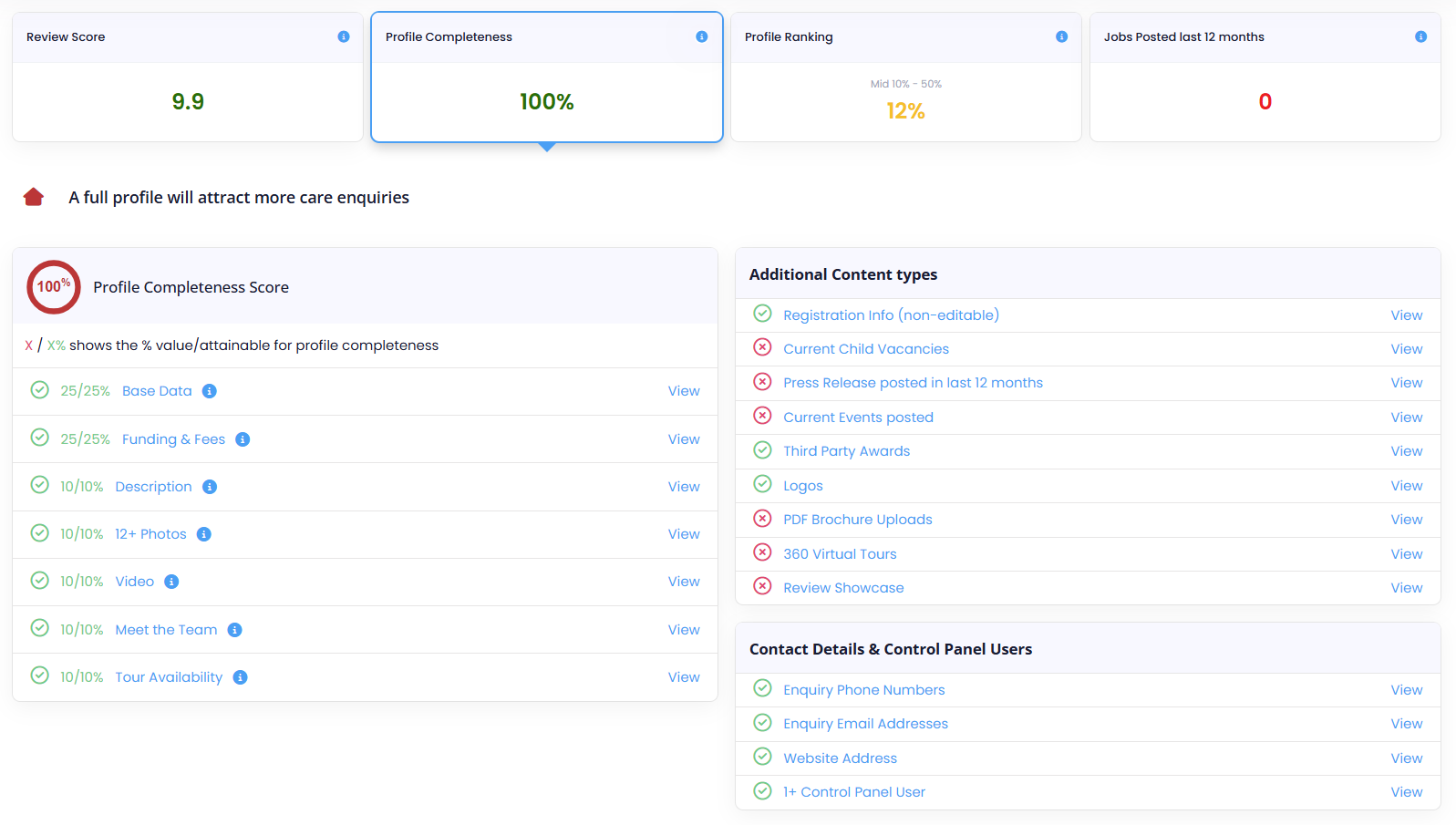
Profile Completeness Tab (same information that was previously displayed)
See how complete your profile is.
- A checklist of all profile sections
- Clear indicators showing where updates are needed
- Direct links to update each section quickly
Profile Ranking Tab (same information that was previously displayed)
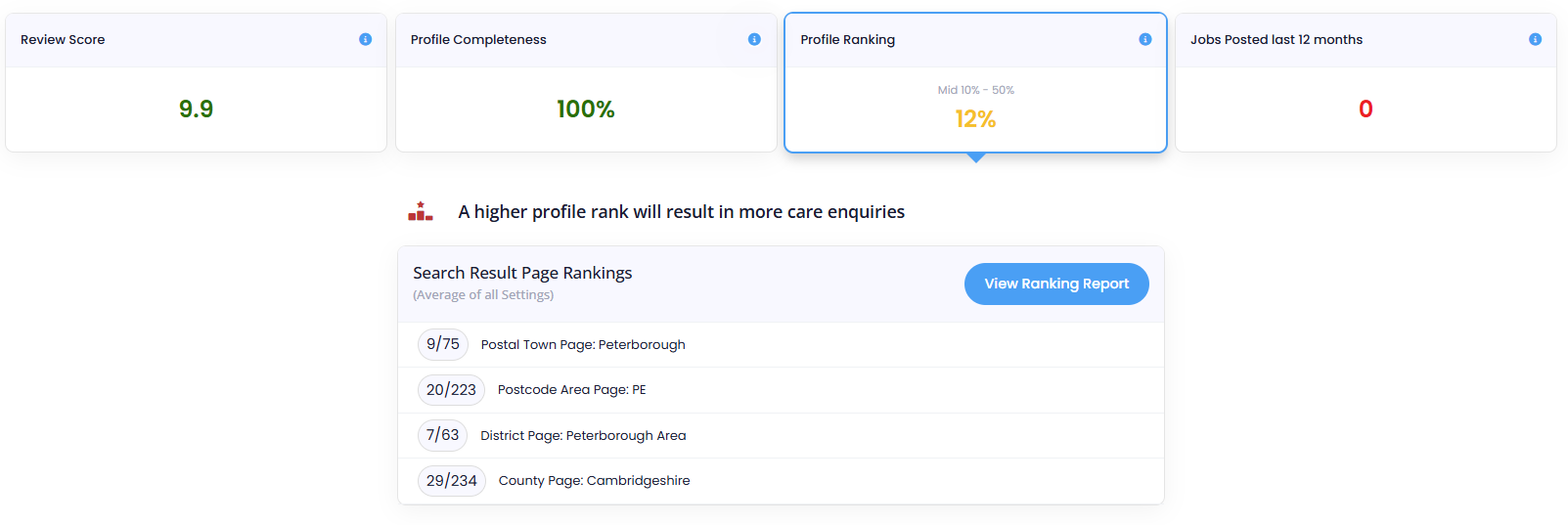
Understand how visible your profile is in search results.
You can view your ranking by:
- Postal Town
- Postcode Area
- District
- County
Jobs Posted (Last 12 Months)
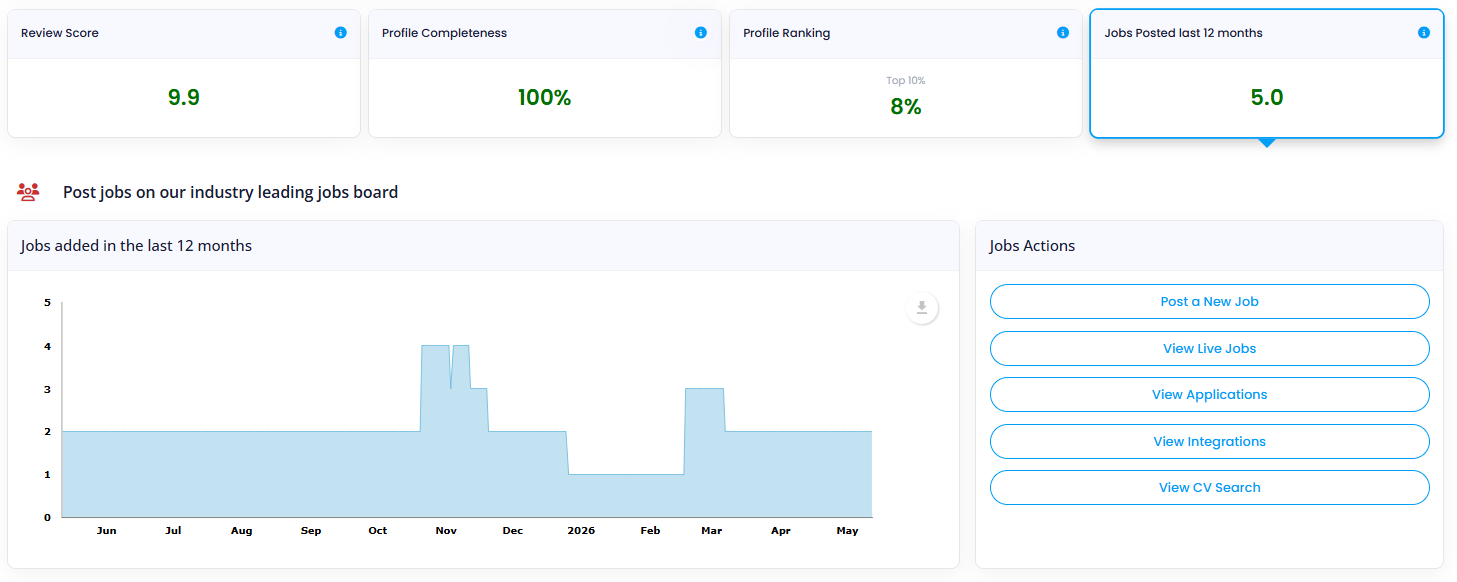
Track your recruitment activity with a simple chart.
You can also quickly:
- Post a new job
- View live jobs
- Manage applications
- Access CV Search
- View integrations
This information is the same that was previously displayed.
Making the Most of Your Dashboard
Your Dashboard Portal is designed to give you clear, actionable insights.
By keeping an eye on your status indicators and key metrics, you can:
- Improve your profile performance
- Increase enquiries
- Convert more enquiries into customers
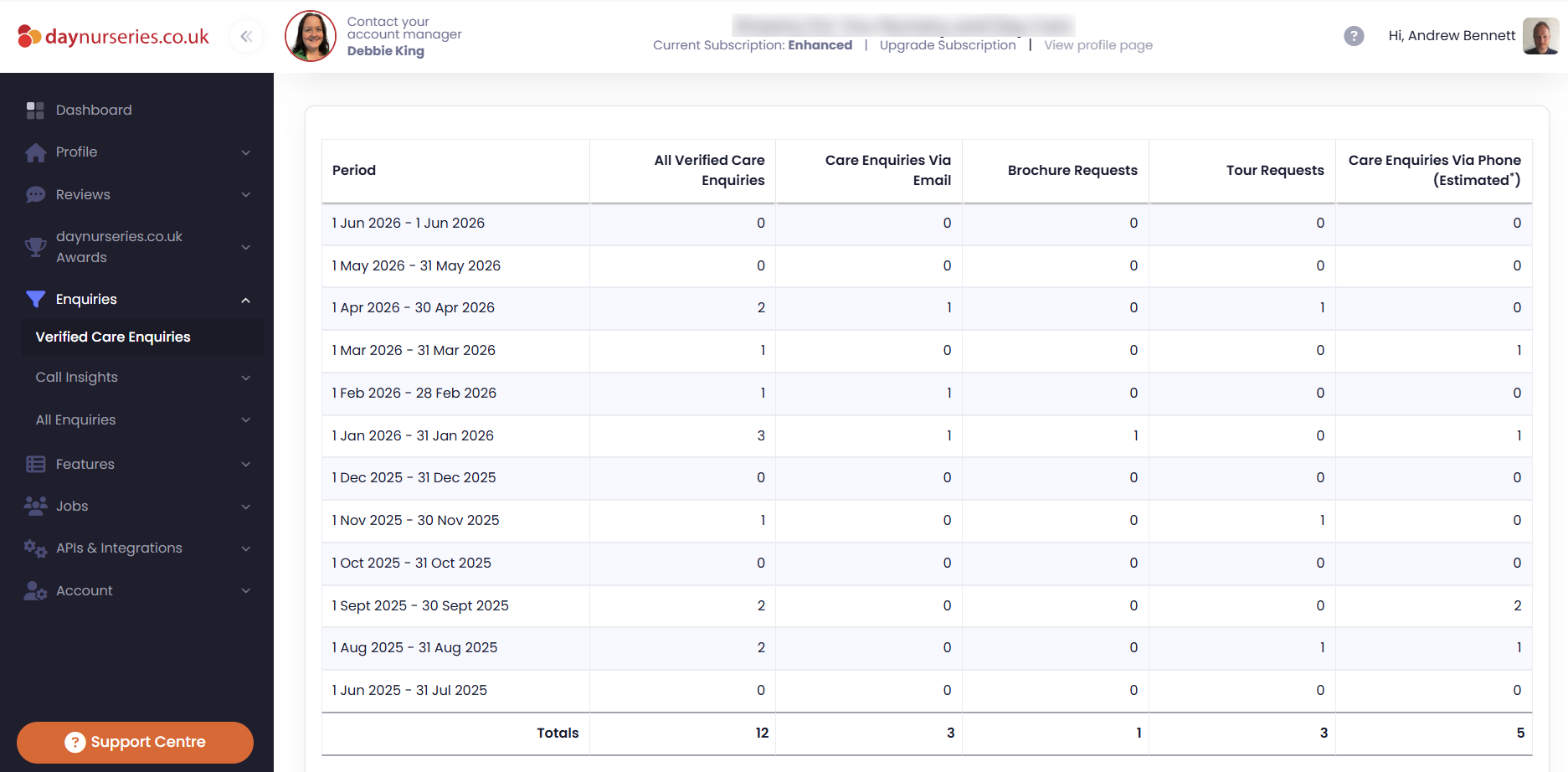
There are also some changes to the "Enquiries" section of the Portal. We've replaced the "Overview" tab with "Verified Care Enquiries" as Verified Care Enquiries are the most important enquiries that we send nurseries.
Click on Verified Care Enquiries to view a detailed breakdown of your verified care enquiries from the past 12 months. You'll be able to see the types of enquiries you've received, including Email, Brochure Requests, Tour Requests, and Phone Enquiries, as well as a comprehensive record of all enquiries received.
Verified Care Enquiries in the last 12 months
.png)
Type of enquiry